
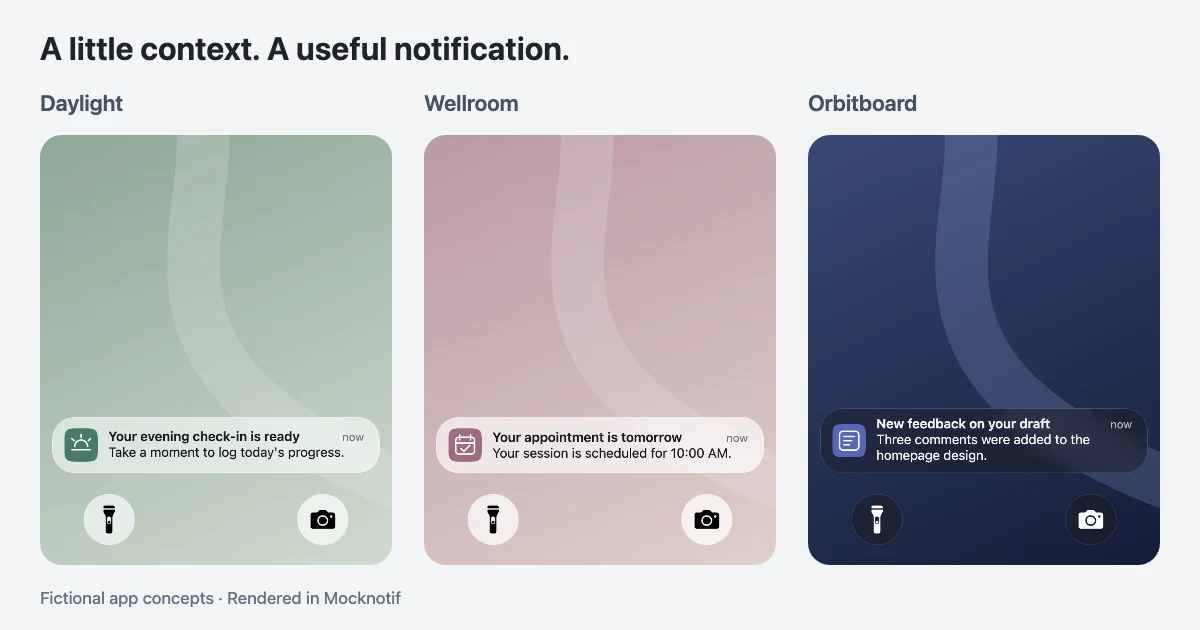
Need an iOS push notification template for your app demo, presentation, or prototype? You don't have to design every notification from scratch.
A good notification mockup communicates three things immediately: which app sent the alert, what happened, and why the information matters to the person receiving it.
Below are seven copy-ready iOS push notification examples for different products, from habit trackers and online stores to collaboration apps. Each includes a suggested title, message, and visual direction.
You can adapt the text to your own product and use Mocknotif to create an iPhone lock screen preview. Export a PNG for a presentation or an animated MP4 when you need to show notifications arriving over time.
These are fictional examples for design and storytelling. They don't send real push notifications.
7 copy-ready iOS push notification templates
These examples are starting points, not universal notification copy. Adjust the wording to match your product's purpose and the information a user actually needs.
1. Habit tracker — Daily check-in
Best for: Wellness apps, productivity tools, and habit-tracking product demos.
| Field | Example |
|---|---|
| App name | Daylight |
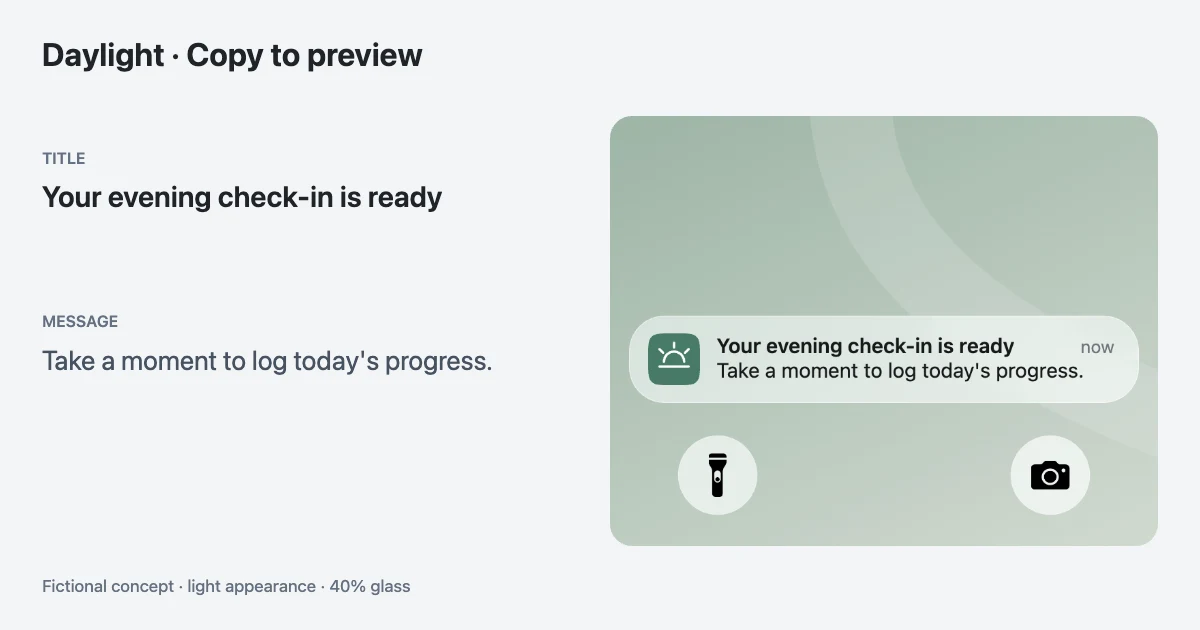
| Notification title | Your evening check-in is ready |
| Notification body | Take a moment to log today's progress. |
| Notification type | App activity |
| Icon | Custom Daylight app icon |
A habit tracker notification should feel helpful rather than demanding. It should remind users about something they've chosen to track without implying that missing one check-in is a failure.
For the iOS notification mockup, use a calm wallpaper and a light glass-style notification card. A single alert is enough for most onboarding presentations.
Alternative copy: "One small step today. Your check-in is ready."
2. E-commerce — Shipping update
Best for: Online store demos, order-tracking apps, and e-commerce presentations.
| Field | Example |
|---|---|
| App name | Parcelly |
| Notification title | Your order is on its way |
| Notification body | Your package has shipped. Open the app for tracking. |
| Notification type | App activity |
| Icon | Custom Parcelly app icon |
This template works when you want to demonstrate a post-purchase customer experience.
A shipping notification should communicate a real order status. When creating a demo, use fictional order information rather than representing a made-up transaction as genuine.
For an animated prototype, show the shipping update arriving after a clearly labeled example order confirmation.
Alternative copy: "Your package is on the move. Tracking is now available."
3. Appointment booking — Upcoming reminder
Best for: Booking platforms, scheduling apps, and service-provider demonstrations.
| Field | Example |
|---|---|
| App name | Wellroom |
| Notification title | Your appointment is tomorrow |
| Notification body | Your session is scheduled for 10:00 AM. |
| Notification type | App activity |
| Icon | Custom Wellroom app icon |
Appointment reminders are useful examples because the notification has an obvious purpose.
The most important information is the appointment time and what the user needs to know next.
For a product presentation, consider comparing a vague reminder such as "You have an appointment" against a clearer version that includes the scheduled time.
Alternative copy: "See you tomorrow at 10:00 AM."
4. Language learning — Lesson reminder
Best for: Educational apps, language-learning products, and onboarding videos.
| Field | Example |
|---|---|
| App name | LingoPath |
| Notification title | Ready for a five-minute lesson? |
| Notification body | Your next lesson is ready whenever you are. |
| Notification type | App activity |
| Icon | Custom LingoPath app icon |
A learning notification is an opportunity to encourage engagement without creating unnecessary pressure.
Instead of emphasizing a missed lesson, the message can highlight a small, achievable next step.
For the visual design, consider a colorful app icon paired with a simple background. The notification should remain easy to read at a glance.
Alternative copy: "A little practice goes a long way."
5. Team collaboration — Project feedback
Best for: SaaS product demos, project management applications, and design reviews.
| Field | Example |
|---|---|
| App name | Orbitboard |
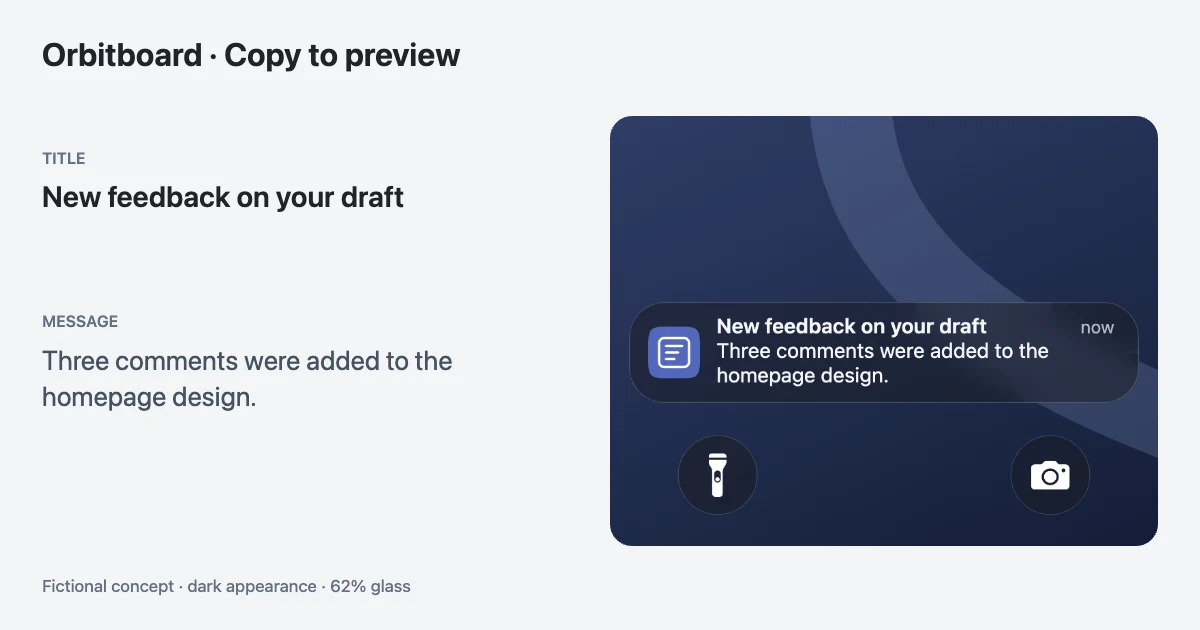
| Notification title | New feedback on your draft |
| Notification body | Three comments were added to the homepage design. |
| Notification type | App activity |
| Icon | Custom Orbitboard app icon |
This push notification mockup illustrates how a collaboration app communicates meaningful updates.
It is more specific than a generic message such as "You have a new notification," because it identifies the kind of update and the item affected.
For a recorded demo, use the notification to introduce the next scene, such as a design review or project discussion.
Alternative copy: "Your homepage draft has new comments."
6. Travel planner — Itinerary update
Best for: Travel planning apps, itinerary builders, and lifestyle product presentations.
| Field | Example |
|---|---|
| App name | Tripnote |
| Notification title | Your day plan is ready |
| Notification body | Review your saved stops for your Tokyo trip. |
| Notification type | App activity |
| Icon | Custom Tripnote app icon |
A travel notification should provide useful context without overwhelming the lock screen.
This template works particularly well for showing a visual connection between a saved itinerary and a timely reminder.
You can create a short animated sequence with a trip-planning update followed by an unrelated fictional message from a travel companion, provided the two notifications make sense within your story.
Alternative copy: "Your saved itinerary is ready to explore."
7. Creator platform — Content published
Best for: Podcast apps, creator tools, content publishing platforms, and video demonstrations.
| Field | Example |
|---|---|
| App name | Pulsecast |
| Notification title | Your new episode is live |
| Notification body | Episode 12 has been published to your feed. |
| Notification type | App activity |
| Icon | Custom Pulsecast app icon |
Creator platforms often need to communicate milestones and publishing events.
A publishing notification provides a natural moment of completion in a product demo.
For a more engaging animation, show the notification appearing after a brief pause, then hold on the completed lock screen long enough for viewers to read it.
Alternative copy: "Episode 12 is live. Ready to share?"
Turn the copy into a notification preview
Choose Create custom app in the editor's app picker, enter the app name, and upload a PNG, JPEG, or WebP icon you own. Set Display as to App icon. Copy the template's notification title into Title and its body into Message; leave Subtitle empty unless your scenario needs another line.
The app name identifies the custom app in the editor. It is not an extra header above your notification title. The icon identifies the app in the rendered card. For a personal message instead, use a contact name and Contact photo; the WhatsApp notification tutorial shows that distinction.
Choose a wallpaper, Light or Dark appearance, and a Glass level. Set each notification's Appears at time, preview the sequence, and leave a reading pause before the video ends. For the full setup and review workflow, follow how to create iOS push notification mockups for an app demo.
For a social-platform publishing scene rather than a custom product, see the Instagram notification animation tutorial.
PNG or MP4: Which format should you choose?
The best format depends on what you're trying to communicate.
| Use case | Recommended format | Why |
|---|---|---|
| Figma or design review | PNG | Easy to compare layouts and copy |
| Pitch deck | PNG | Works well on static slides |
| Product demo video | MP4 | Shows when notifications appear |
| YouTube tutorial | MP4 | Adds movement to a demonstration |
| Social media storytelling | MP4 | Builds anticipation through timing |
| Documentation | PNG | Easy to annotate and reference |
PNG downloads are free and watermark-free. Free MP4 downloads include a small Mocknotif watermark; optional watermark-free MP4 access is $4.99 for 7 days as a one-time payment. The article images are clean official demonstration assets.
A PNG shows the notification's visual state. An MP4 can show its arrival, sequence, and timing.
For example, a static design review might focus on whether the Parcelly shipping message is readable.
An animated product demo could instead show a series of different alerts appearing at selected moments to illustrate a fictional customer journey.
When using Mocknotif, remember that an animated export represents a simulated iPhone lock screen. It isn't a transparent notification-only video layer, and it doesn't send notifications to a real device.
Design tips for realistic iOS notification templates
A good-looking iOS notification mockup is more than a recognizable app icon. Small choices in message structure and presentation can make the result more useful.
Keep the title informative
Titles such as "New notification" often provide too little context.
A title like "Your appointment is tomorrow" communicates something meaningful immediately.
The Apple Human Interface Guidelines for Notifications recommend concise notification copy and titles that help people understand the information quickly.
Use the right kind of icon
Not every notification should display a contact photo.
For a regular app activity notification, the app icon is generally the appropriate visual identifier.
For a direct communication notification, a sender photo may be appropriate, depending on the app and notification presentation.
For example:
- Direct message: A fictional contact named Alex, with a contact photo.
- Shipping update: A store or tracking app icon, without a contact photo.
- Appointment reminder: A booking app icon.
- Project update: A collaboration app icon.
Mocknotif can help you present these different notification styles, but the output is a simulation, not a guarantee of pixel-perfect behavior across every iOS version.
Make the wallpaper support the message
A bright, detailed wallpaper can make glass-style notifications harder to read.
Use a background that gives the message enough contrast.
For a product demo, a simple wallpaper is often preferable because it keeps attention on the app name, title, and message.
Write for real situations
Realistic notification examples should describe recognizable events.
A shipping update, upcoming appointment, project comment, or published episode is easier to understand than a generic announcement.
Avoid fictional payment-success messages presented as proof of real revenue, and don't use private conversations or personal information without permission.
Test the mockup at its final size
A notification that looks clear in a large editor may become difficult to read when reduced to the size of a phone inside a presentation slide.
Before publishing, test the export in the actual format where it will appear.
If necessary, simplify the text rather than trying to fit more information into the same notification.
Frequently asked questions
Are these downloadable iOS UI files?
These are copy-ready text examples, not native iOS components or editable Figma files. Copy the title and body into Mocknotif to create your own PNG or MP4. For complete editable multi-app scenes, try our three notification story templates.
Can I create an iOS push notification template without coding?
Yes. If you only need a visual mockup, you can use a browser-based notification generator such as Mocknotif. You don't need to implement Apple Push Notification service or build an app to create a fictional screenshot or animation.
What is the difference between a push notification mockup and a real push notification?
A mockup is a visual representation. It helps demonstrate content, appearance, and timing. A real push notification requires an application, appropriate permissions, and notification delivery infrastructure. Mocknotif creates visual examples; it does not test or send real push notifications.
Can I customize the app name and icon?
Mocknotif includes the ability to create a custom app identity. This is useful when you want to demonstrate a fictional or unreleased product using your own branding.
Can I animate several notifications in one video?
Yes. Mocknotif supports multiple notifications with individually configured appearance times. You can preview how they arrive and export the resulting animation as an MP4.
Are these templates official Apple notification templates?
No. These are illustrative notification copy examples designed for fictional mockups and product demonstrations. They are not official Apple templates, and visual details can differ across apps and iOS versions.