
An Instagram notification animation gives a viewer one piece of social context at a time: a new follow, a mention, a comment, or an unexpected DM alert. An Instagram notification mockup is often more effective as a quick video beat than a long screenshot of an Instagram feed.
With a browser-based notification mockup tool such as Mocknotif, you can make fictional Instagram-style alerts appear on an iPhone lock screen and export the scene as MP4. For static concepts, export PNG instead. A fake Instagram notification is a simulated alert, not activity from a real Instagram account.
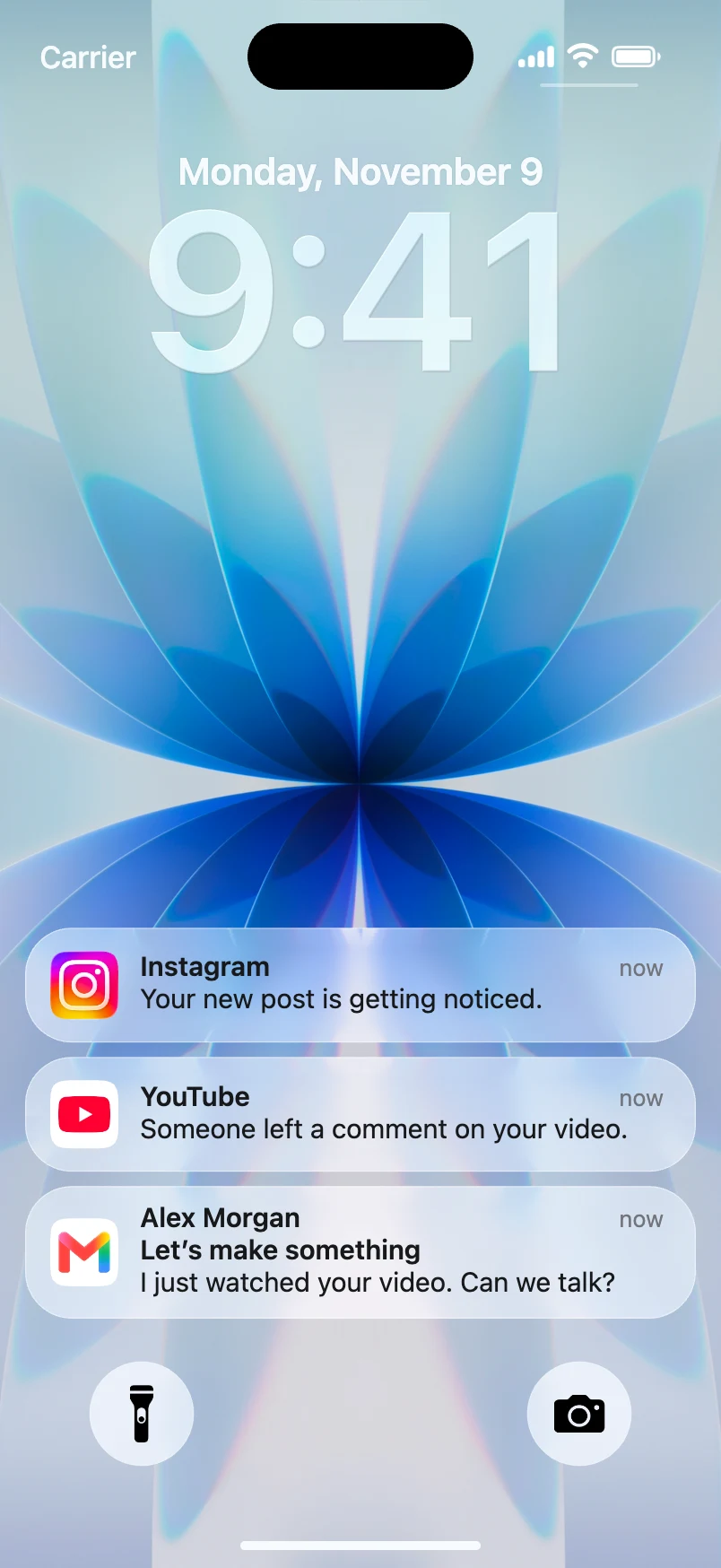
Pick one social event to build around
Begin with an event that the audience can understand without seeing the rest of Instagram:
- Surprise follow: A fictional account named
@future_mefollows the main character. - Comment reveal: A fictional comment says, "You forgot something in the background."
- Creative launch: A fictional brand account receives a burst of interest after posting its new project.
- Comedy setup: A friend reacts to a post that the protagonist thought nobody saw.
These are story prompts—not actual Instagram notification templates or claims about what Instagram will send. The app can change wording and display styles over time. Keep your copy plausible but do not imply an officially sanctioned or pixel-exact Instagram experience.
Design the lock screen sequence
- Decide whether the alert should be the entire joke or the first beat of a larger story.
- Open Mocknotif and set up a readable iPhone-style wallpaper.
- Use the available Instagram-style app identity and enter a fictional sender/account name and alert copy.
- For a sequence, create a second alert that adds information rather than repeating the first.
- Preview the staggered arrivals and look for overly long sender names or truncated text.
- Export a moving MP4 for a Reel or a still PNG for a presentation or thumbnail.
For example, your first notification could be "@future_me started following you," followed by a second fictional alert: "@future_me mentioned you in a story." The contrast between an ordinary notification format and an unusual account name is what creates the hook.
Make the animation useful outside Instagram
Many creators will publish the final video on a different platform, such as TikTok or YouTube Shorts. That is fine: you are using an Instagram-style alert as a storytelling prop, not publishing a real notification.
If the animation introduces a fictional social media mystery, keep the lock screen on screen long enough for viewers to read the account name and message. Then cut to a reaction or reveal. In a brand demo, use the alert to illustrate a hypothetical user journey rather than claiming you received real engagement.
Consider adding a caption such as "concept notification" or "fictional scenario" when a viewer might otherwise think the message is authentic. Avoid real influencer usernames, misleading engagement metrics, or claims that a real person endorsed a product.
For platform-specific video pacing, see how to make an iPhone notification video for TikTok. If the sequence is part of an advertisement, read our guide to notification animations in UGC ads.
Check your final export
Look at the clip on a phone-sized screen. Are the sender and message readable? Is the new alert visible long enough to understand it? Does the scene fit the intended edit without cutting off the bottom cards?
Treat MP4 as the moving clip and PNG as a frozen composition. Neither is a native Instagram notification, and neither verifies an account event. Keep the source video or image available for future edits if your script changes.
Frequently asked questions
Can I make a fake Instagram follow notification?
You can create a fictional Instagram-style notification for a concept, sketch, or design mockup. Do not use it as proof that a real person followed an account.
Can I use the animation in Instagram Reels?
You can export the simulated lock screen as a video clip and import it into a Reel-editing workflow. Check the output framing and any applicable licensing or export terms before publishing.
Does Mocknotif connect to Instagram?
No connection is needed for this visual workflow. The alerts are scripted mockups rather than messages retrieved from your account.