
An iOS push notification mockup helps a product team discuss a message before the push infrastructure exists. Instead of waiting for an app build, you can show a hypothetical alert on an iPhone-style lock screen, compare alternative copy, and place the image or animation in a pitch deck or demo video.
An iPhone push notification mockup is a visual prototype, not a functional push-notification test. For a push notification prototype, a browser-based generator such as Mocknotif can help create a fictional lock-screen scene, including a custom app identity and animated arrival sequence. Actual delivery reliability, permissions, and deep-link behavior still require testing in a real app.
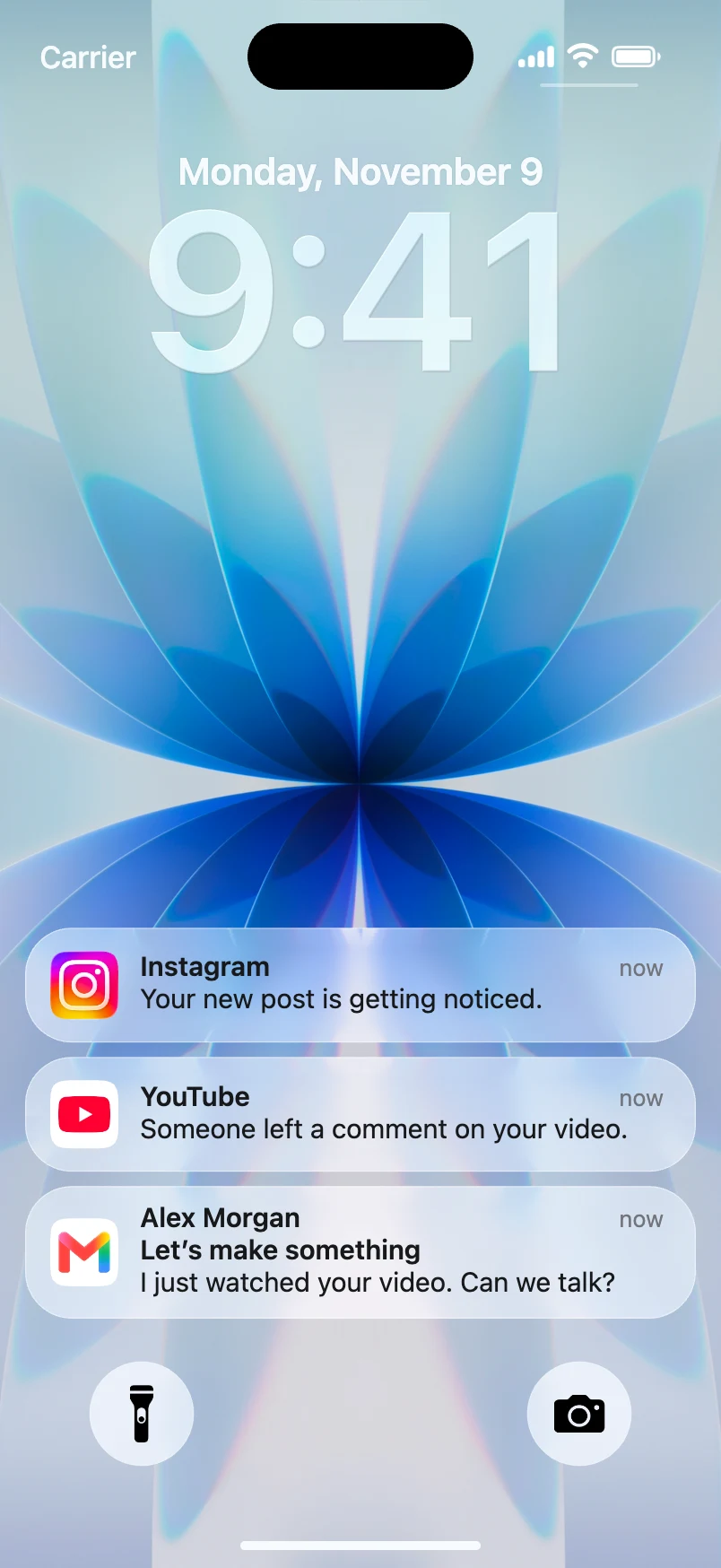
Decide what the mockup needs to prove
Separate your product question from the appearance of the alert. Different goals require different mockups:
| Question | Mockup choice | What to evaluate |
|---|---|---|
| Is the copy understandable? | One static PNG | Wording and hierarchy |
| Does the timing fit a scenario? | Animated sequence | Order and narrative context |
| Does the brand read clearly? | Custom app icon/name | Recognition at small size |
| Will users act after a tap? | Real app prototype | Navigation, not just appearance |
For example, a habit-tracking app could compare "Your streak is at risk" with the more helpful "Your evening check-in is ready." A mockup lets colleagues respond to the message rather than arguing over abstract copy in a spreadsheet.
Build a hypothetical app-notification scene
- Write the product's notification intent in plain English: what should a person understand or do?
- Open Mocknotif and prepare an iPhone-style lock-screen scene.
- Use your own app name and an icon you own or have permission to use. Avoid borrowing another company's identity for a client deliverable.
- Enter the proposed notification title and body. Use a realistic length and inspect whether the meaning remains clear on the preview.
- For a multi-step flow, add two or more fictional alerts and time their arrival to illustrate the sequence.
- Export a PNG for design review or an MP4 for a launch concept, stakeholder presentation, or recorded demo.
Mocknotif's output can represent how a message might look. It does not validate APNs configuration, delivery rate, Focus modes, Notification Summary, or an action taken after tapping an alert.
Review notification copy like a product team
A useful review asks four questions:
- Clarity: Can someone understand the alert without opening the app?
- Relevance: Does it explain why the notification is worth their attention?
- Tone: Does the wording match the brand, or does it feel like an alarm?
- Context: Would the message still be appropriate if it arrived at an inconvenient time?
Try a side-by-side comparison of two PNG mockups rather than asking stakeholders to imagine the copy. For a timed demo, use an MP4 with a clear fictional scenario: a reminder arrives, a follow-up appears later, and the narration explains the intended experience. This is especially helpful when the backend has not been built yet.
Apple lets users choose Count, Stack, or List presentation for Lock Screen notifications. That is one reason a single design mockup cannot represent every device configuration. See Apple's notification guidance for details and use a real-device test before releasing your app.
Present the mockup responsibly
Use labels such as "prototype," "illustrative concept," or "simulated notification" in a pitch deck or demo. Do not suggest the scene proves an integration is live or that users have already received the message.
If you are creating the animation for an advertisement, see how to use notification animations in UGC ads. If you need a static view for a slide, see our presentation mockup guide.
Frequently asked questions
Does a mockup test real push delivery?
No. It tests the visual communication of a proposed notification. Real delivery and interaction must be tested through the app and operating system.
Can I use my own app identity?
The Mocknotif workflow includes a customizable app identity; verify your icon rendering and current editor controls before final export.
Should I use an image or a video in my demo?
A PNG is better for copy review and slide decks. An animated MP4 is more useful when arrival order or a user journey matters.