
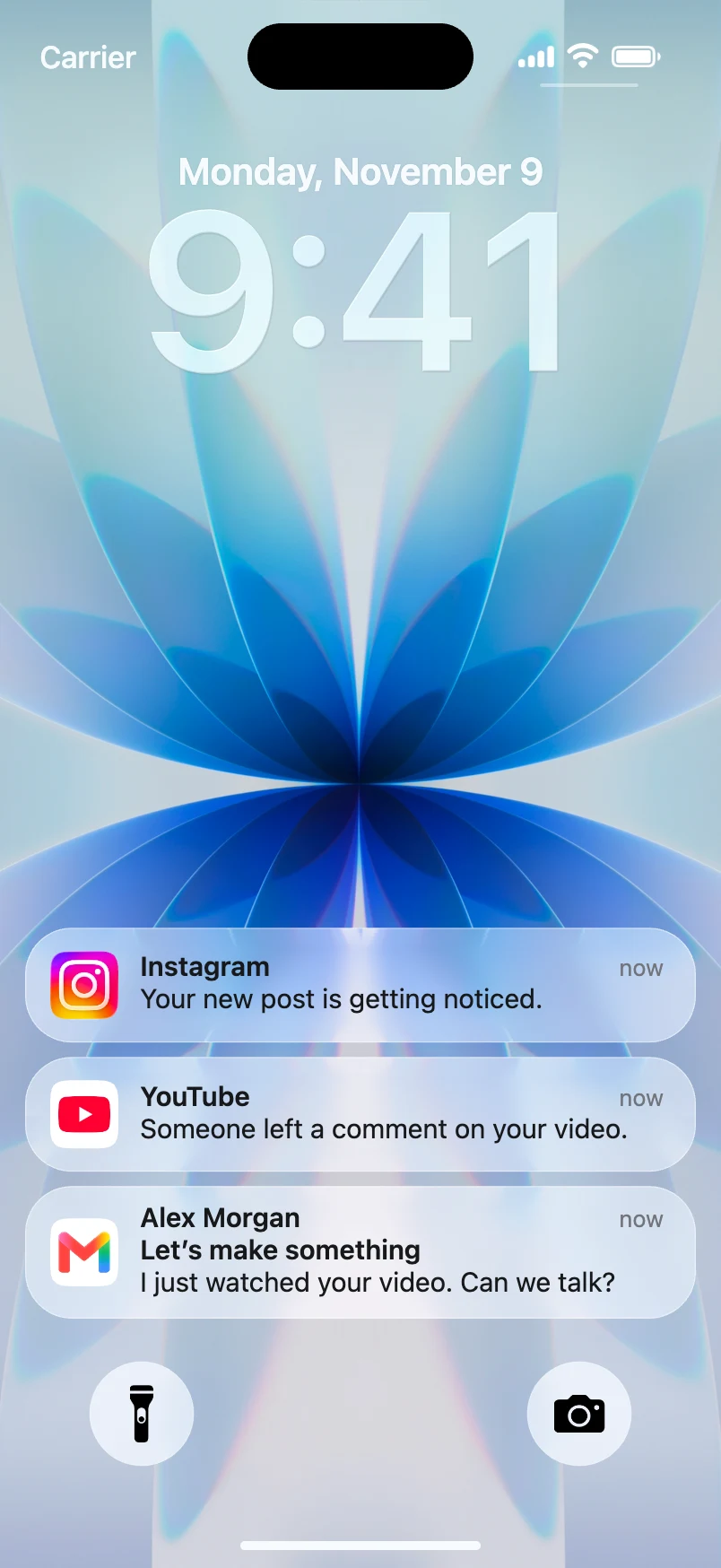
A notification animation for a UGC-style ad is a fast way to show what an app is designed to remind, confirm, or suggest. A fictional phone alert can introduce a problem in the first seconds of an ad, then a creator can demonstrate the idea in ordinary language.
An iPhone notification ad creative works best when it truthfully illustrates a product experience. It should not imply that a sale happened, that a customer left a review, or that a real person sent an endorsement. For a push notification ad mockup, a browser-based tool such as Mocknotif can create a simulated iPhone lock-screen scene with your proposed notification copy, then export it as an MP4 for editing.
Choose a legitimate ad use case
Not every notification concept belongs in an advertisement. Three defensible scenarios are:
- Feature explanation: A fictional habit app shows a reminder that its product is designed to send.
- Product concept: A startup demonstrates a proposed notification flow before launch, clearly labeling it as a concept.
- Education: A creator shows viewers what a type of notification might look like and explains what it means.
Avoid fake payment confirmations, invented customer orders, fabricated social proof, or fake endorsements. Those could mislead the audience about real transactions or results.
A useful sample for a fictional plant-care app might be:
App: LeafDay (fictional concept)
Notification: "Your monstera may need water. Check the soil first."
Creator line: "Here's the kind of reminder we're designing—one that gives you a useful next step."
This example tells the viewer what the product aims to do without claiming it has already sent a notification to someone.
Build an illustrative notification sequence
- Write the ad's single promise or explanation. Decide whether the notification is the hook, the proof-of-concept, or the closing reminder.
- Open Mocknotif and use an app name and icon you are authorized to display.
- Add the fictional notification copy. Shorten it until a viewer can understand it at phone size.
- If the concept needs a follow-up, add another alert and set its appearance after the first one.
- Preview the animation, export MP4, and import the result into your UGC editing timeline.
- Add a clear label such as "illustrative app mockup" or "concept notification" where viewers might mistake the scene for a live product event.
The output is a visual demonstration, not an integration with Apple Push Notification service, an actual campaign, or evidence that users received a push.
Structure the creative around the notification
One simple UGC format is problem → concept → explanation:
| Approximate scene | Visual | Narration idea |
|---|---|---|
| Opening | Fictional lock-screen reminder appears | "I keep forgetting when to check my plants." |
| Middle | Creator shows the app concept | "This is the reminder experience we're building." |
| Ending | Clear text CTA and product name | "See how the idea works." |
The notification should support the story, not substitute for verifiable product facts. If the product is live, demonstrate it honestly. If it is a prototype, say so.
A common mistake is to use a fake notification as fabricated conversion evidence: "Order #123 placed," "You earned $3,000," or "Your friend just bought this." Avoid that tactic. A believable UI does not turn invented outcomes into truthful advertising claims.
Watch the final ad on a phone with sound off. Are the app name, the notification, and the disclosure legible? If not, simplify the text or lengthen the shot. Test the CTA independently from the mockup's visual appeal.
For a product-design-first workflow, read how to create iOS push notification mockups. For video assembly, see how to import a notification MP4 into CapCut.
Export and review before publication
An MP4 is suitable when the notification arrives during the ad. A PNG is enough for static concept slides or a storyboard. Check the current export and watermark options in Mocknotif as part of the production review, and keep the final deliverable compliant with the platform's advertising policies.
Before publishing, ask: "Could a reasonable viewer think this fictional alert proves something happened?" If the answer is yes, rewrite the creative or make the illustrative nature unmistakable.
Frequently asked questions
Can a simulated alert appear in a paid ad?
A clearly identified illustrative mockup can be useful in ad creative, but compliance depends on what the ad claims, the assets used, and the platform's rules. Do not present a staged notification as real evidence.
Does Mocknotif send messages to customers?
No. This workflow creates a graphic or video simulation. It is not a push-marketing service.
Can I use a custom app name or icon?
The product workflow supports custom app identity. Use your own brand assets or properly licensed artwork and verify the current export options before delivery.