
A Discord mention notification mockup can help explain community notifications in a video, presentation, or onboarding guide. Instead of exposing real server messages or tagging someone just to record a screenshot, you can create a fictional alert with a channel name, sender, and short preview.
There is an important distinction: a server mention from a person is still a form of communication, while an app activity alert is about an event or status. Those two notifications should not automatically look identical. Mocknotif's Discord notification editor can provide an iPhone-style simulated lock-screen visual without requiring a real server or sending an alert.
Decide what your tutorial needs to explain
If the lesson is “What happens when a member mentions you?”, create a person-to-person or channel-message style alert. Show an invented sender, a fictional server/channel label, and a short message such as “Nora mentioned you in #release-notes: ‘Could you review this?’” Keep the text concise so it remains readable.
If the lesson is “How do community updates get someone's attention?”, create an app activity example such as “Community event starts in 10 minutes.” That notification can use the Discord app icon rather than a contact avatar. It should be labeled as an illustrative message, not an exact screenshot of a live Discord feature.
| Tutorial subject | Suggested type | Identity treatment | Example copy |
|---|---|---|---|
| A member mentions the viewer | Message / communication | Fictional sender + optional avatar | “Nora mentioned you in #updates” |
| A direct message arrives | Message / communication | Fictional contact photo | “Riley: Can you join the call?” |
| General server event reminder | App activity / system-like | Discord app icon; no contact photo | “Game night starts in 10 minutes” |
Actual live behavior may differ by Discord version, iOS notification settings, and message category. The goal is a clear Discord notification example, not a claim that every alert is displayed identically on all devices.
Build two different notification examples
A useful educational Discord server alert mockup should show both of the following, rather than only repeating the same message card with different text.
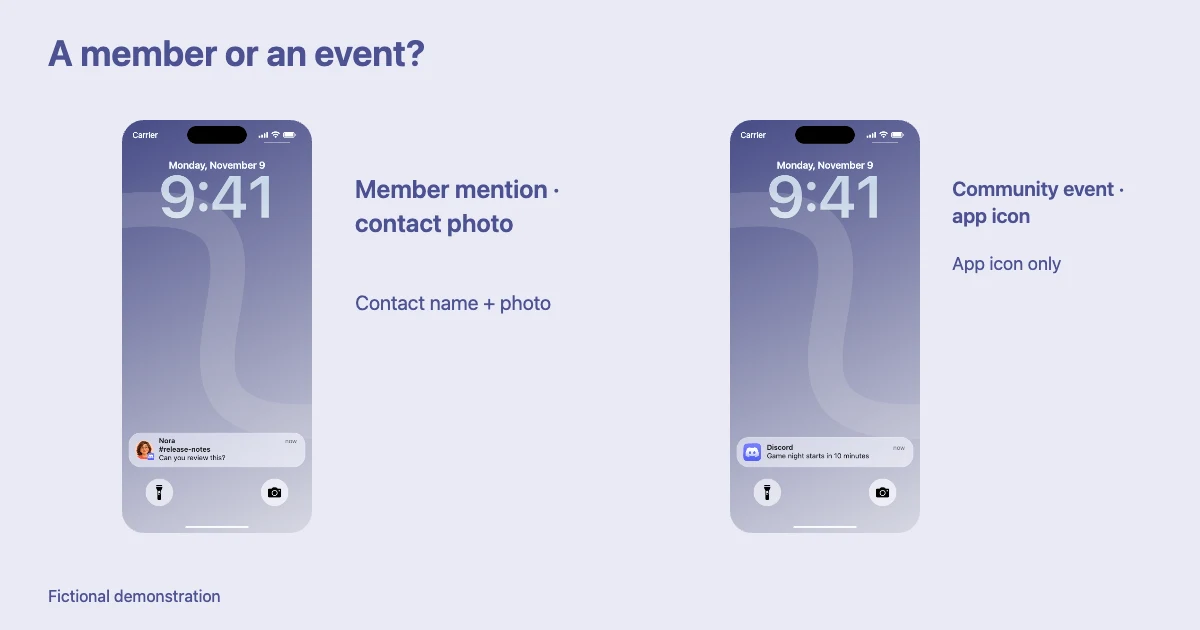
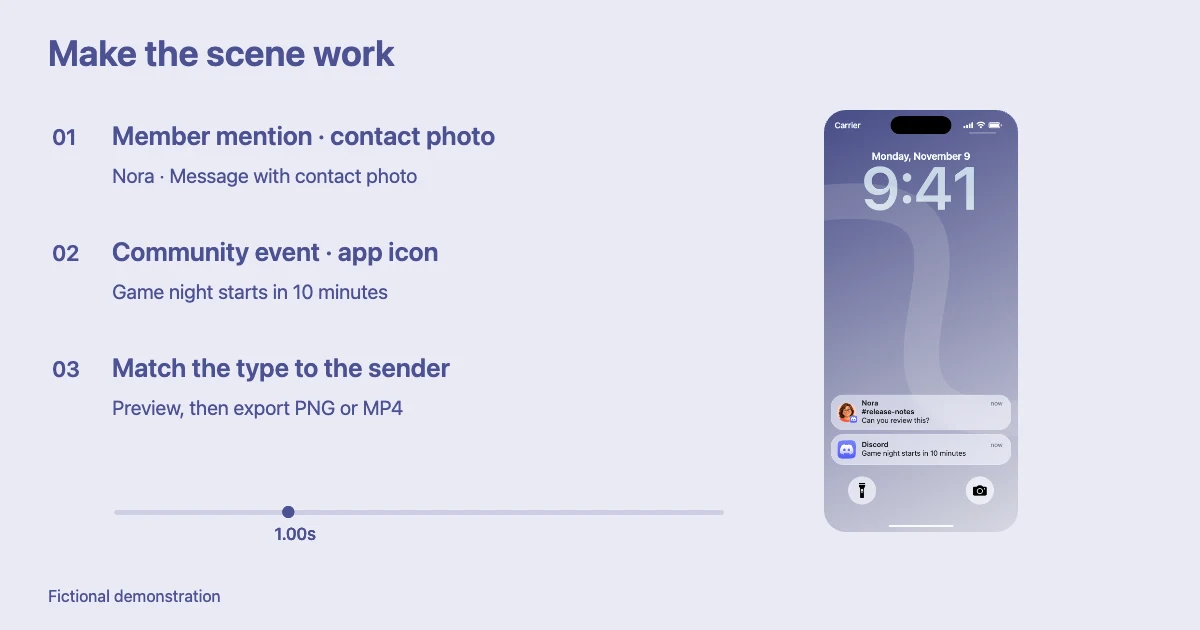
Example A — a mention from a person: A fictional user “Nora” tags someone in #release-notes. Select a message-style notification. If the template supports a contact photo, use a generated or permitted avatar for Nora. Add the channel context in the title or preview using the editor's supported fields. The avatar conveys who sent the communication.
Example B — a platform/community event: A fictional “Friday game night” event is about to begin. Select an app-activity style notification; leave the contact photo absent and show the Discord app identity. The card conveys what is happening, not who is speaking.
Keep the lock-screen wallpaper and phone framing consistent between the two so viewers can compare the difference. Export PNGs for a static slide or MP4 clips if demonstrating arrival order.
Explain the mockups accurately in the lesson
Present the images as visual examples, not evidence that someone sent a real message. A caption such as “Illustrative Discord notification—fictional data” is especially useful in an educational setting. If you discuss Discord's actual settings, use current official Discord documentation for the setting names and location instead of relying on mockup visuals.
Do not overload the notification with a full paragraph explaining the server. Let the tutorial narration or text beside the image carry the explanation, while the notification demonstrates one concrete concept. One or two short message previews are usually enough.
For a longer onboarding guide, a useful order is: first show a member mention, then show how it differs from a DM, then show a general activity notification. This progression turns a small visual prop into a lesson about notification categories without needing a real account recording.
If you are teaching privacy or moderation, use fictitious names and channel labels. Avoid including personal data, private message contents, or unverified claims about another community. The sample phone screen should remain clearly separate from any genuine account evidence.
Match the output to the presentation format
For a slide deck or written tutorial, a sharp PNG of each final state is easiest to annotate. For a short explanatory video, use an MP4 that shows the notification arrival. If your video already contains many captions, let the phone-screen clip occupy enough space that the message text is legible.
These assets depict an iPhone lock-screen notification; they are not a reproduction of Discord's entire server interface. If you need to show a channel list, roles, permissions, or the actual message composer, use real authorized screenshots or an appropriate Discord UI demo instead.
To focus on a private message rather than a server, read how to create a Discord DM notification mockup. For shorter gaming content, see animating Discord notifications for YouTube Shorts.
Frequently asked questions
Does a Discord mention always show a contact photo?
Not necessarily. A mention can be part of a communication notification, but the live appearance depends on the app and device. In a mockup, choose the identity treatment that best represents the kind of alert being explained; do not force a profile photo onto general activity alerts.
Is a community event alert the same as a direct message?
No. A DM is from a person. An event or app activity alert reports something happening in a community, so it is usually better represented with the Discord app icon and an event title.
Can I use these examples in a classroom or onboarding video?
Yes, as clearly identified fictional visuals. Use permission-cleared assets and separate the mockup from screenshots of real settings, accounts, or private communities.